Overview

Robbie is my small robotics playground: a basic 4DOF robotic arm that I used to learn more on controls, kinematics, and simulation. The project evolved through three versions: a simple button-controlled prototype, a Wi-Fi web-controlled arm, and a ROS 2 simulation in RViz for faster experimentation.
For the mechanical design I used a publicly available arm model (instead of designing one from scratch) and focused on the software side: control logic, interfaces, and iteration speed. STL reference: Arduino-based robot arm (HowToMechatronics) .
Tech stack
- Arduino (Mega / Uno R4 WiFi) + servo control
- C++ (embedded control code)
- HTTP server + Web UI (remote control from a browser)
- ROS 2 Foxy (simulation workspace)
- URDF + RViz2 (robot model + visualization)
Functionality
V1 — Button-controlled prototype

The first version uses an Arduino Mega and a small panel of buttons to move the arm joint-by-joint.
The goal here was to get a reliable baseline: wiring, servo limits, and repeatable movements.
V2 — Web-controlled over Wi-Fi
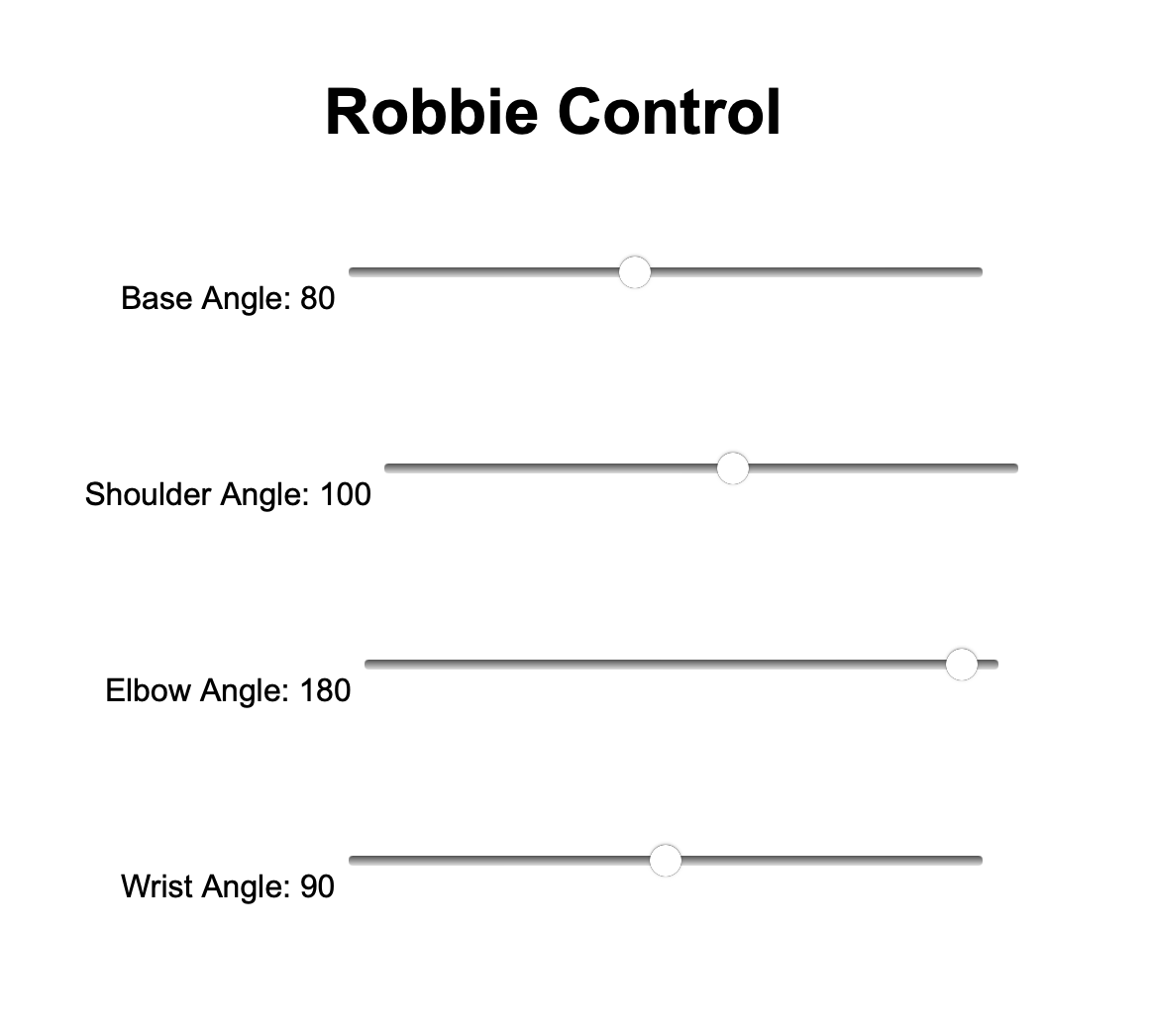
In V2 I switched to an Arduino Uno R4 WiFi and added a small HTTP server so Robbie can be controlled
from a browser. This made testing way easier: no dedicated controller, just open a page and drive the joints.
The focus in this version was on usability: quick access, responsive controls, and safer motion constraints (servo limits and small incremental steps to avoid sudden jumps).
V3 — ROS 2 simulation (URDF + RViz2)
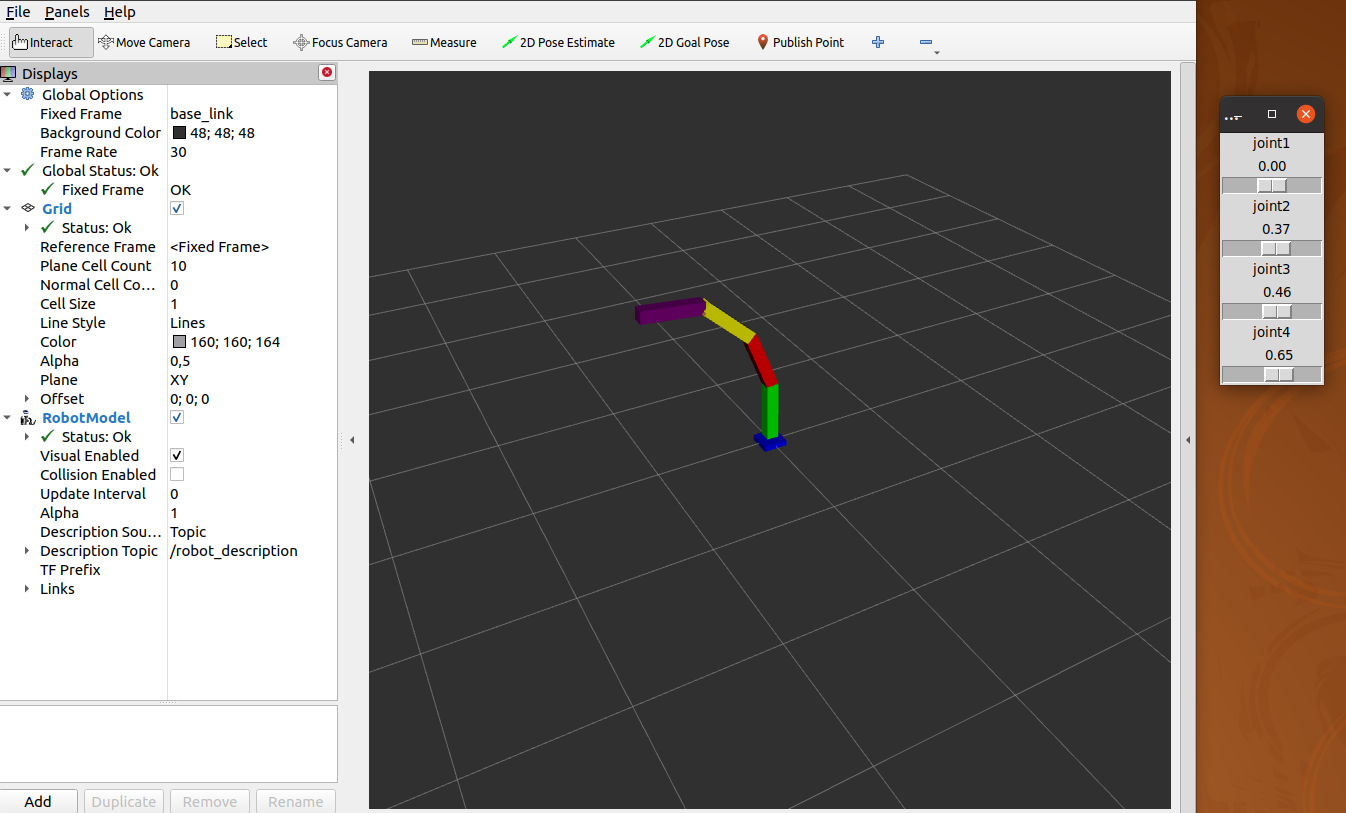
V3 introduces a simulated Robbie in ROS 2 Foxy using RViz2. Having a URDF-based model
lets me iterate on joint layout and motion logic without always needing the physical hardware on my desk.
Helpful reference I used while setting up URDF + RViz: Loading a URDF into RViz (ROS 2) .
What I learned
- Practical servo tuning: limits, step sizes, and avoiding jitter or mechanical stress
- Robotic arm simulation and control
Future improvements
- Add preset poses and simple motion sequences (“pick”, “place”, “home”).
- Introduce smoothing / interpolation for more natural trajectories.
- Bridge sim → real: use the same commands in ROS 2 and on the Arduino.